Showing posts with label homeschool math. Show all posts

Friday, September 11, 2015

Stinky Kid Math REVIEW


I recently had the opportunity to review a website called Stinky Kid Math from a company by the same name, Stinky Kid Math. I received a six month subscription to their whole site for up to three children.

What is Stinky Kid Math?

Stinky Kid Math is an online concept-based instruction website that will take the memorization out of math, and will teach how math "works". Subscribers will learn the how's and why's of math concepts from Pre-algebra, Complex Algebra, and Geometry. It can be used as a full curriculum or as a supplement curriculum. For the purpose of this review, we replaced my oldest daughters current math program so that we could use Stinky Kid Math exclusively. 

How did we use Stinky Kid Math?

Before beginning lessons with my daughter, I searched around the site to get a better understanding of it and we were also very curious as to how it got it's name. I ended up finding a helpful about me section that explained in good detail with words and a video the concept and idea around Stinky Kid. 

Stinky Kid Math is broke down into two main categories. Lessons and Math Games. The lessons start with foundational algebra and then progress to complex algebra and geometry. There is also a tab to view all video lessons in order. My daughter is only beginning to learn about algebra so we found it best to start at foundational algebra. 


Lessons


In the foundational algebra tab my daughter was then able to choose from twelve different lesson subjects. Once again, since she is only beginning to learn algebra she choose to start at the beginning with algebra properties. 

In this section my daughter learned about the three most important algebra properties. She learned about Commutative, Associative, and Distributive Properties. Learning these properties helped her understand what she could and couldn't do in the problems she encountered. She was able to learn about these properties by watching short and helpful videos. Most of the videos she watched were under three minutes. A few she watched were a little longer but still under five minutes. I feel that the the length of the videos helped keep my daughter's attention on what she was learning.  We always felt that the information was given in a fun, helpful and non-boring way. 


One of the things that my daughter expressed that she did like a lot was that instead of having to take notes, she was able to print the information she was learning from the Books section. I also found this very helpful. To help her keep all of her information together we designated a folder to all things Stinky Kid Math. 


Another thing that we both enjoyed was the worksheets. My daughter enjoyed working on the problems and also enjoyed me being able to check them with an answer sheet. After checking her answers, I would circle the ones she missed and hand the paper back to her along with the answer page. She then was able to see how she had worked the problem compared to how it was suppose to be worked. I felt like this was very helpful for her. 

Math Games

My daughter enjoyed the games and spent a great deal of time playing them. Of course, since it was educational I was okay with it. There are five different games to choose from. I found the games to be simple yet effective in teaching and reinforcing concepts. 


 Final Thought

My daughter thoroughly enjoyed Stinky Kid Math. We are going to continue to use it for the time being. I enjoyed that the website was simple to navigate and everything was easy to find and use. I also enjoyed that I could view an activity log that would show me all of my daughters recent activity. By being able to view this, I was able to see what and when she viewed something. The only thing that could have made that better was being able to see how long she spent on a certain activity.

If you are looking for a fun and educational algebra and geometry help website than I recommend you check out Stinky Kid Math.


How much does Stinky Kid Math cost?

Right now you can sign up for Stinky Kid Math for only $9.99/month!

You will have unlimited access to video lessons, math games, books and worksheets.
You can also get a free month.

Want to Connect with Stinky Kid Math?


*******************************

Stinky Kid Math Review


Crew Disclaimer


Like our blog? You can Subscribe and/or check us out on
  Facebook, Twitter, Google+, and Pinterest

Enter your email address:
Delivered by FeedBurner

Monday, July 27, 2015

UnLock Math - UnLock Pre-Algebra - Review


Hello Friends, My oldest daughter recently had the opportunity to review UnLock Pre-Algebra from the wonderful company, UnLock Math.  Much to my surprise, my daughter has always enjoyed math. As she gets older though, I'm finding it harder and harder to find math products that keep her interest. That's why I'm very thankful to have been chosen to review UnLock Pre-Algebra with her. 


UnLock Pre-Algebra is a 24/7 access online pre-algebra program that you can use at home or on the go.  It includes:

Engaging Teaching Videos
Interactive & Adaptive Testing
Unlimited Practice & Review
Complete Solutions
Immediate Feedback
Complete Grading
Extensive Reporting
Quizzes
Reference Notes
Pacing Guide


Each child has their own personalized dashboard to login into.  In the dashboard they can see their progress at a glance, choose their next lessons, view and print their progress report which is always updated in real time, access their grade book that contains in-depth details of each completed assignment, and download a pacing guide. The pacing guide is just that, a guide that shows the student how long each lesson should take to complete. It was helpful as it allows students to pace the course. 


What we loved about UnLock Pre-Algebra

I loved that UnLock Pre-Algebra is divided into sixteen units. We received a full year access and are really hoping to have all the units completed by the end of our year.

Each lesson in the units are broken up into six parts:
  • Warm Up 
  • Lesson Video: In this section the instructor, Alesia, gives a small lesson on a math concept that your child is going to be working on. 
  • Practice Problems
  • Stay Sharp
  • Challenge Yourself
  • Reference notes: A PDF of all the concepts that Alesia explored in the lesson video. 

One of the things that my daughter expressed that she really liked was the lesson videos. My daughter has had trouble in the past with the lessons that do not have videos included. Including the videos has really helped my daughter understand the new concepts she was learning. Another thing she said she liked seeing was the window that popped up after she completed a lesson that said lesson complete. 

She also expressed how easy it was to use the program, which I can appreciate. I know how hard it is to enjoy a program when it is a hard to navigate and use. Thankfully this is not the case, as UnLock Pre-Algebra is very easy to navigate. 


One thing I really enjoyed as a parent was the progress reports.  Being able to see where my daughter excels and where she may need extra help at has truly been helpful and I'm very thankful these reports are included. 

Another thing that I have enjoyed is the course gradebook. I can't say it enough, I really love programs that include grading. It takes a lot of pressure off of the parent when they don't have to worry about going back over and grading each lesson. Having the gradebook has made using the program more enjoyable for not only my daughter but for me as well. 


Final Thought

My daughter still has a ton of lessons and units to complete but I foresee us continuing on through the program and hopefully finishing it by the end of our year. I'm very thankfully that UnLock Math has put so much work into making this a program that will benefit many families. We highly recommend it.


Do they have any demo lessons?

 Absolutely! A Demo Lesson can be found at the link below:

  
What does UnLock Pre-Algebra Cost?


You can currently purchase UnLock Pre-Algebra for:
   Annual $299.00 USD 
Monthly $49.00 USD

Would you like $100 off on an annual purchase? 

Sounds great doesn't it? Well you can by clicking the link below.


Want to connect with UnLock Math?


**********************************

Click Below to Read More Reviews from the Schoolhouse Review Crew
UnLock Math Review


Crew Disclaimer


Like our blog? You can Subscribe and/or check us out on
  Facebook, Twitter, Google+, and Pinterest Enter your email address:
 
Delivered by FeedBurner

Friday, May 01, 2015

A+ Interactive Math ~ Review


Hi Friends, My three daughters and I had the chance to review the Family Math Package from A+ Interactive Math. In the past online math programs have proven to be very successful among my daughters and I was excited to see what this one had to offer.

What is the Family Math Package?


 A+ Interactive Math Family Math Packages are specially designed to cater to both individual & family needs. There is Access to all grade levels for each student (K1 - Algebra). You have the ability to change the grade level to fit student needs at any time. The program teaches, grades, measures, reviews and tracks. I like that the program uses multiple learning styles to fit each students individual needs.


How we used Family Math Package


I was able to sign my three daughters up with ease. They each have their own login and this makes it nice to be able to keep track of each ones work. After they sign in they have the option to view their profile or to launch their math level. Launching means that the program opens a dashboard in a new browser window.

Below is an example of what the dashboard for my oldest looks like 


As you can see from the picture above, the program features:

  • Multimedia Interactive Lessons
These animated lessons make learning fun. My daughters found them easy to understand and entertaining. They really enjoyed the animations when the would get a problem correct. After completing a lesson, it shows on the top the completion date as well as the score achieved. 


  • Lesson Plans
It's really great when I know what we should be doing and when. The lesson plans have been very helpful in keeping me on track. While we do get behind, it's nice to have an idea of where we need to be and what we need to do to get back on track. I also like that the lesson plans are printable. 


  • Printables
The printables are another wonderful addition. While my daughters have always enjoyed doing an online math curriculum, sometimes it's also nice to have a worksheet in hand. With this program you have the option to not only print worksheets but also print Exams and Reference Sheets. 


  • Ebooks
Under the Ebooks tab, you can view a full curriculum book, worksheet solution guides, and exam solution guides. It's, yet again, a helpful addition that has made using this program and learning math fun.


  • Online Worksheets and Exams
There is even an option to do worksheets and exams online. We didn't do a lot of these, but I really do appreciate that they are here. I anticipate that we will be using more of these in the future.


I also really enjoy the Parent Features as well. They include:
  • Instant online grading.
            It's always nice to be able to see a grade after a lesson is completed and my daughters love            being able to see how well they did immediately after a lesson. So this is a very nice feature. 

  • Parental controls that allow parents to lock solution guides.


  • Progress reports that identify areas of strengths and weaknesses.
The progress reports have been nice. I'm not use to making my own progress reports. When a program offers the opportunity to easily see them, It makes me excited. 
  • The ability to enter students scores to track progress for all work completed offline.

Final Thought

There are a ton of lessons for us to still do. This is a very wonderful program and we are looking forward to using it more in the future. If you are looking for a complete math program than I recommend A+ Interactive Math.

***********************


Want to see if A+ Interactive Math is a good fit?

Check out these freebies for homeschool families. 

Free Math Placement Test: 


They will start a 2-week 40% to 50% off sale on their “Family Math Packages” and “Adaptive Placement Testing w/ Lessons” program on Monday May 4th. 
Start Date: 5/4/2015 – End Date: 5/18/2015

Want to connect with A+ Interactive Math?


****************************
Click Below to read more reviews from the Schoolhouse Review Crew
A+ Interactive Math Review
/


Crew Disclaimer


Like our blog? You can Subscribe and/or check us out on Facebook, Twitter, Google+, and Pinterest Enter your email address:
 
Delivered by FeedBurner

Tuesday, March 17, 2015

GPA LEARN ~ GPALOVEMATH ~ Review


This year has been a so wonderful. My daughters and I have been blessed with so many wonderful products and just recently my three daughters and I had the awesome opportunity to review yet another great product. We reviewed GPALOVEMATH from GPA LEARN

What is GPA LEARN?


GPA LEARN is a company that strives to create a world where children are placed at the center of their own personalized educational ecosystem. Their entire team works daily to build the world’s best educational technology tool to optimize each child’s individual learning environment.


What is GPALOVEMATH?


GPALOVEMATH is a cool and fun web-based math program for children in grades K-5. It features animated characters that serve as “Learning Coaches.” These coaches offer supplemental help with over 150 lessons and over 10,000 practice problems per grade level.  Each of my daughters have an individual grade level “Learning Coach” that is different from her sister. They thought that having a coach was very helpful and fun. I choose the 3rd, 4th, and 5th grade levels for them for this review. 


How we used GPALOVEMATH

My daughters each have their own log in and I have a separate parent log in.  After logging in, my daughters are brought to a dashboard home screen. From this area they can choose three other wonderful features. These three features really make GPALOVEMATH great.


These three features are: Learn - Engage - Motivate 

Learn - In the learn feature there are three paths to choose from. The green path, purple path, and blue path. Each path offers a different array of lessons.  Lessons are unlocked as they complete the previous lessons.  There is an option to unlock lessons from the parent account. When starting a lesson they were able to see the skill they would be learning, points they could earn, and the button to start.  


After choosing to start the lesson they were brought to another screen that offers video instruction, practice, and lastly a quiz. 


The quizzes each had 15 questions and after completing one they were rewarded points. I loved the way this was set-up. The instruction was always done in a entertaining yet very educational way. It engaged my daughters and made them interested in what they were being taught. I was also glad to see that they could then practice the skills they just learned. Having the practice really helped them with the quizzes. My daughters did try to skip the practice and just attempt the quizzes a couple of times. They learned pretty fast just how important having the practice was. 

Another great thing about the learn feature is that if your children have trouble reading they could click on the sentence or paragraph and their learning coach would read it to them. This helped me a ton. I didn't feel like I had to stand there the whole time making sure they read each question right. 


Engage - The engage feature was one that we didn't really play around with a ton, but is still a very neat feature. The engage area is a private social network that connects students, parents, and teachers to facilitate dialogue around each child's learning experience.    


Motivate - The motivate feature is a reward system that surprises and celebrates the child’s effort and successes. This was absolutely one of our favorite features. My daughters had so much fun earning rewards and I thought it was wonderful as well.  I loved that I was able to log in with my account and choose the rewards that I felt my daughters would appreciate the most. This was a huge plus and there is a big choice of rewards to pick from. I usually choose rewards from the chore category. I knew they would appreciate earning these rewards and having help with their chores. 

My daughters usually earned a reward for every 4 lessons they completed. They were even able to save up their points and redeem them for actual gift cards or different rewards. So cool! One of my daughters was able to redeem their points for a $10 ToysRus gift card and another was able to receive a $10 Target gift card. I was blown away by this and thought it was extremely fun and exciting for them. 

After they received a reward it was stored in their virtual backpack. I printed out the rewards and usually stuck them on the refrigerator until they were ready to use them. They had so much fun using them. My youngest was very excited when she realized that I would be feeding our pets for the day for her. I actually ended up doing a lot of their chores, but I seriously didn't mind. I mean my daughters were doing math and enjoying it! Were they motivated to practice and learn their math? Absolutely! 


Another thing that I really enjoyed about GPALOVEMATH was the fact that I received an e-mail each time a lesson was attempted and completed. I always love when I am able to see how my children are doing. Receiving an e-mail is a wonderful way to achieve that. I was able to see how long the lesson lasted, whether they completed the instruction and the practice, and what they scored on the quiz. Aside from receiving each lesson summary, I also received a weekly digest e-mail for each daughter. This showed me their weekly progress and allowed me to see where they might need some additional help. 


The only thing that we did have a minor issue with was that occasionally the screen would freeze. We used GPALOVEMATH in the Chrome browser on a laptop and a desktop computer. The only time it happened was when using it on the laptop. So it's hard to tell whether it was indeed the program or just my laptop. Anyhow, I found out that by right clicking I could hit a button that says reload the frame. This allowed the page to reload without my children having to start from the beginning. 

What does GPALOVEMATH cost?


GPALOVEMATH is currently $149 for the year or $12.99/mo per child. 
There is a free trial you can try before you purchase. 

It is compatible with PC, Mac, iPad and Galaxy Tab 4.

The supported browsers are: Google Chrome, Internet Explorer 11, Mozilla Firefox, and Apple Safari 6 & 7.


Final Thought

I hadn't ever heard of GPALOVEMATH before this review, but I can now say that we are big fans. It was such a fun review and my daughters thoroughly enjoyed learning math alongside their learning coaches and being rewarded for their hard work. I foresee us continuing to use GPALOVEMATH. It was a blessing.


Want to connect with GPA LEARN?


****************************************


Click below to read more reviews from the Schoolhouse Review Crew
GPA Learn Review


Crew Disclaimer

Like our blog? You can Subscribe and/or check us out on Facebook, Twitter, Google+, and Pinterest

Enter your email address:
 
Delivered by FeedBurner


Friday, March 13, 2015

The Critical Thinking Co. ~ Pattern Explorer ~ Review


Have you ever received a curriculum that your child loved so much they actually asked to do the work? Well, this was the reaction I received from my oldest daughter, who is 11 years old, when we recently reviewed Pattern Explorer from The Critical Thinking Co.  

What is Pattern Explorer?


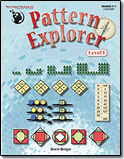
Pattern Explorer is 96 page paperback workbook geared towards grades 5-7. It provides a rich and diverse collection of pattern problems for students to explore, investigate, discover, and create. There are forty activity sets in the book and they are divided into five themes that appear in rotating order:
  • Pattern Predictor
  • Equality Explorer
  • Sequence Sleuth
  • Number Ninja
  • Function Finder
The activities build on one another and gradually get more sophisticated as the collection progresses. Each activity is accompanied by hints and very detailed solutions that can be found in the back of the workbook. Students are encouraged to explore the patterns with a sense of adventure and perseverance. 

The author of Pattern Explorer is a gentleman named, Darin Beigie. Mr Beigie teaches mathematics at Harvard-Westlake School in Los Angeles, Ca. He develops curriculum and classroom materials to foster greater critical thinking and creativity among his students. He is also the author of several other books by The Critical Thinking Co.


How we used Pattern Explorer and what we liked


My daughter worked in Pattern Explorer approximately three to four times each week. She completed one lesson each time she sat down with the book. Each pattern activity presented a different challenge. She was able to discover some solutions very easily, while others proved to be much more challenging. I could tell that she really enjoyed the challenge though. She showed a lot of patience and determination while trying to figure some of the solutions out and great excitement when they were completed. It was a ton of fun to see her excitement and hear her explain to me how she was able to come up with the solution. I am confident that this book gave her a brand new perspective on what she originally thought patterns were and she has learned that being able to recognize a pattern is important.

A great addition to the book is the fact that hints and solutions can easily be found in the back of the book. I highly recommended that she refer to the hints when struggling with a solution. The hints did prove to be a tremendous help to her. I loved that they provided just the right amount information to get her thinking in the right direction and allow her to work out the solution on her own. 

The solutions also proved to be very helpful. I recommended that she didn't flip to the back to just solve the problem, but rather allow me to make that judgement call if I felt like she needed to. The one thing about her seeing the solution that I didn't mind was the fact that she could then see how the pattern worked and analyze it that way as well. I felt that even when this method was used she still learned a great amount. I also enjoyed having the solutions for myself. They allowed me to check her work in a fast and efficient way. Although, I do have to admit, even I had fun trying to find the solutions to some of the patterns. One particular one was even a challenge for me, but in a fun way. 

We both enjoyed the fact that there was ample space provided for her work to be shown with each activity. However, she did also use a separate notebook that came in handy for when she had to design charts, make lists, and draw diagrams.

We didn't use Pattern Explorer as a stand alone math curriculum, but rather as a enrichment activity. She still has lessons to finish before completing this book, but I anticipate that this is definitely one that she will finish. 


Final Thought 

Overall we both thoroughly enjoyed Pattern Explorer. I loved that it allowed my daughter to not only use her math skills but a lot of critical thinking skills as well.  She is learning to develop reasoning skills that are essential for mathematics and science. As always, The Critical Thinking Co. has delivered another wonderful product and I am reminded why I love this company so much. It truly is a great product and I highly recommend it! When I asked my daughter what final thing she would like to say for the review she told me to tell you all that she thinks it is awesome! 


What Does Pattern Explorer cost?

You can currently purchase Pattern Explorer for only $14.99


Want to connect with The Critical Thinking Co.?


Click below to read more reviews from the Schoolhouse Review Crew 
Critical Thinking Company Review


Crew Disclaimer


Like our blog? You can Subscribe and/or check us out on Facebook, Twitter, Google+, and Pinterest

Enter your email address:
 
Delivered by FeedBurner

Google